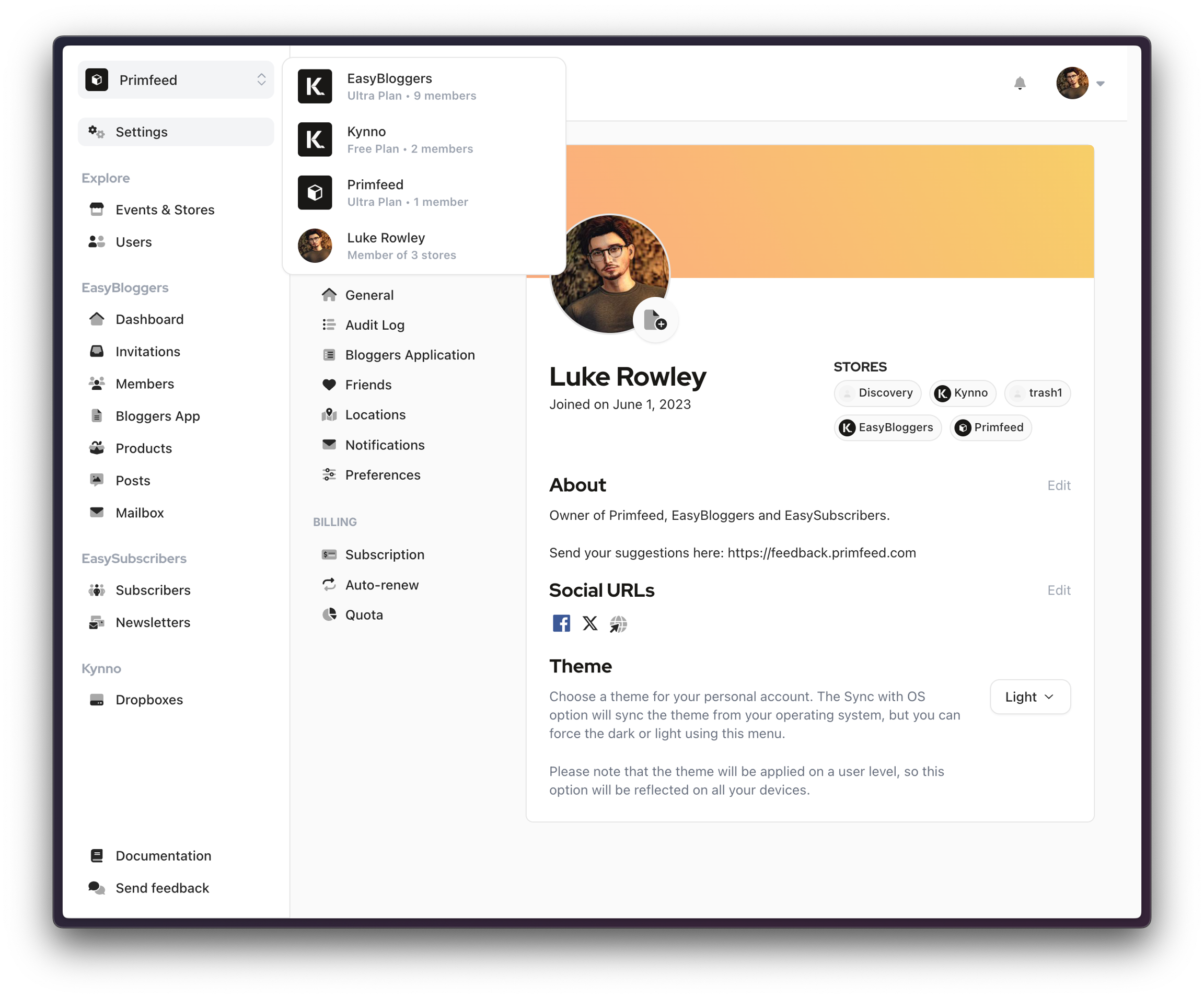
You'll see an icon with two arrows at the top left of your screen when available. When you click on it, a list of the stores will appear, and you can select one. Click on your name to see your blogger view.
Dropboxes - Creators
For creators, when you have multiple stores, you can assign Dropboxes to each individual Store you own. Go on your Dropboxes pages, select a Dropbox, and in the modal, you can click on the Stores you want to assign the Dropbox to
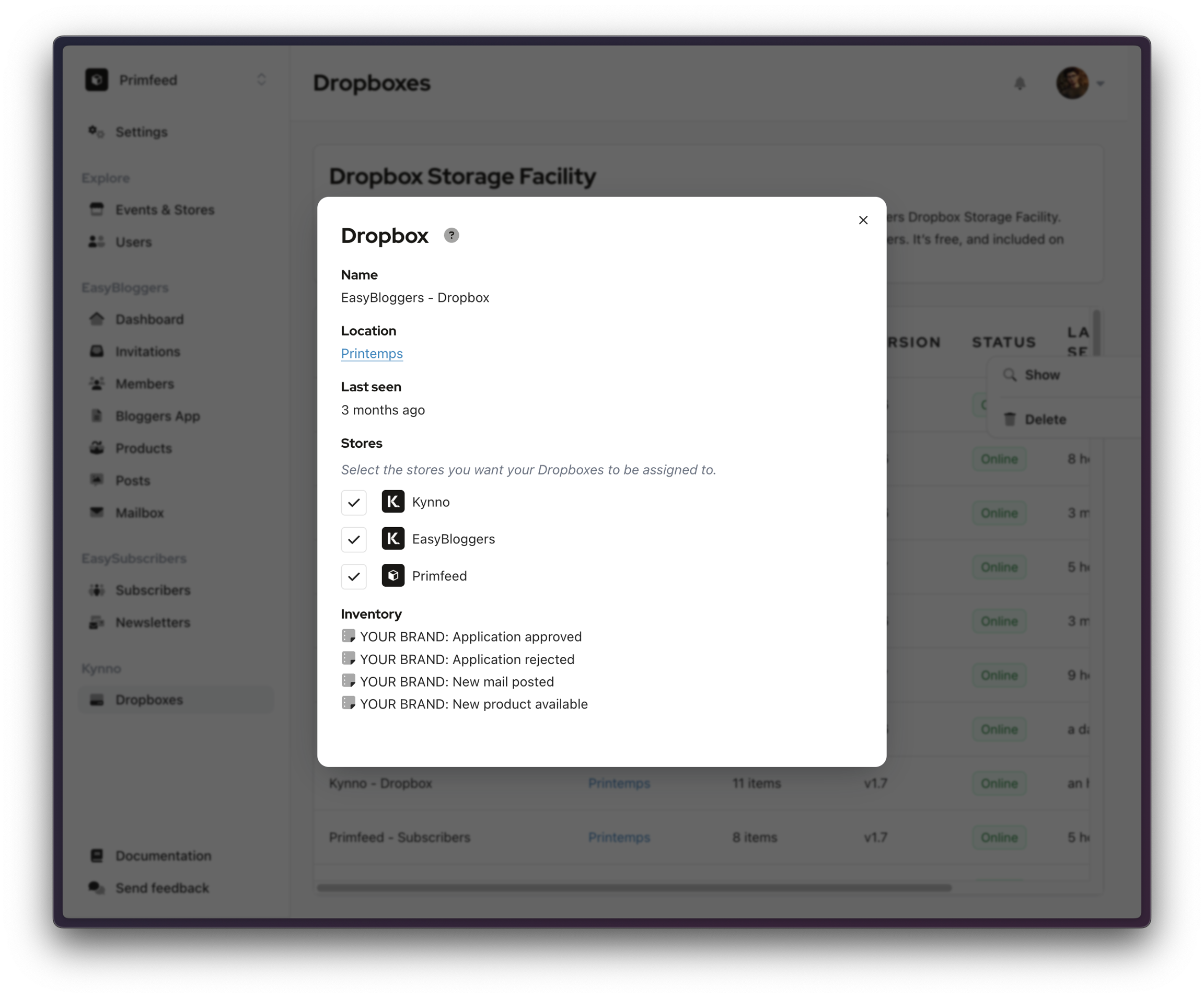
If you assign a Dropbox to store 1 and interact with store 2, you won't be able to see the content of the Dropbox assigned to the first store.